Founder notes
Frappe Sheets: a spreadsheet that lives next to your ERP
I built Frappe Sheets, the open source spreadsheet in Frappe Suite, so the spreadsheets a business still depends on could sit on the same server as its ERP, behind the same login and inside the same backup.
By Asif Mulani, who built Frappe Sheets · Published

What Frappe Sheets is
Frappe Sheets is a spreadsheet app for the Frappe Framework. You install it on a bench like any other Frappe app and open it at /sheets on your site. The grid is drawn on an HTML canvas, the interface is Vue 3 with frappe-ui, and the licence is GNU AGPL v3. The README says it needs Frappe Framework 15 or 16.
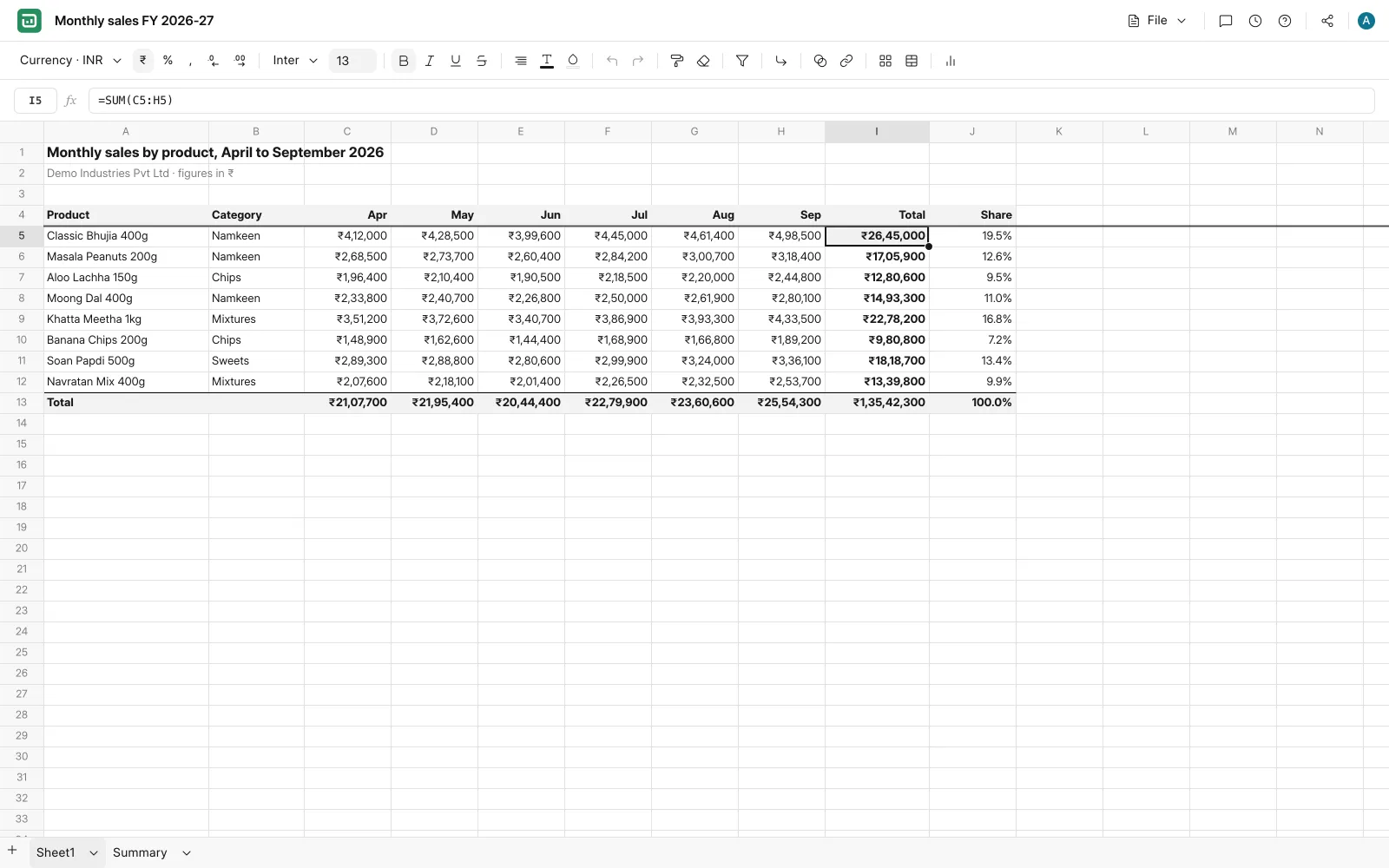
The code's public at github.com/frappe/sheets, and I'm the only contributor on that repository. It's also one of the seven products in Frappe Suite, the app that puts Drive, Writer, Sheets, Slides, Meet, Mail and Calendar together on one site.
Here's what it can do today, going by the repository on 20 October 2026:
- Formulas, cross-sheet references, named ranges, sort, filter, find and replace, data validation.
- Number formats, conditional formatting, merged cells, borders, frozen rows and columns.
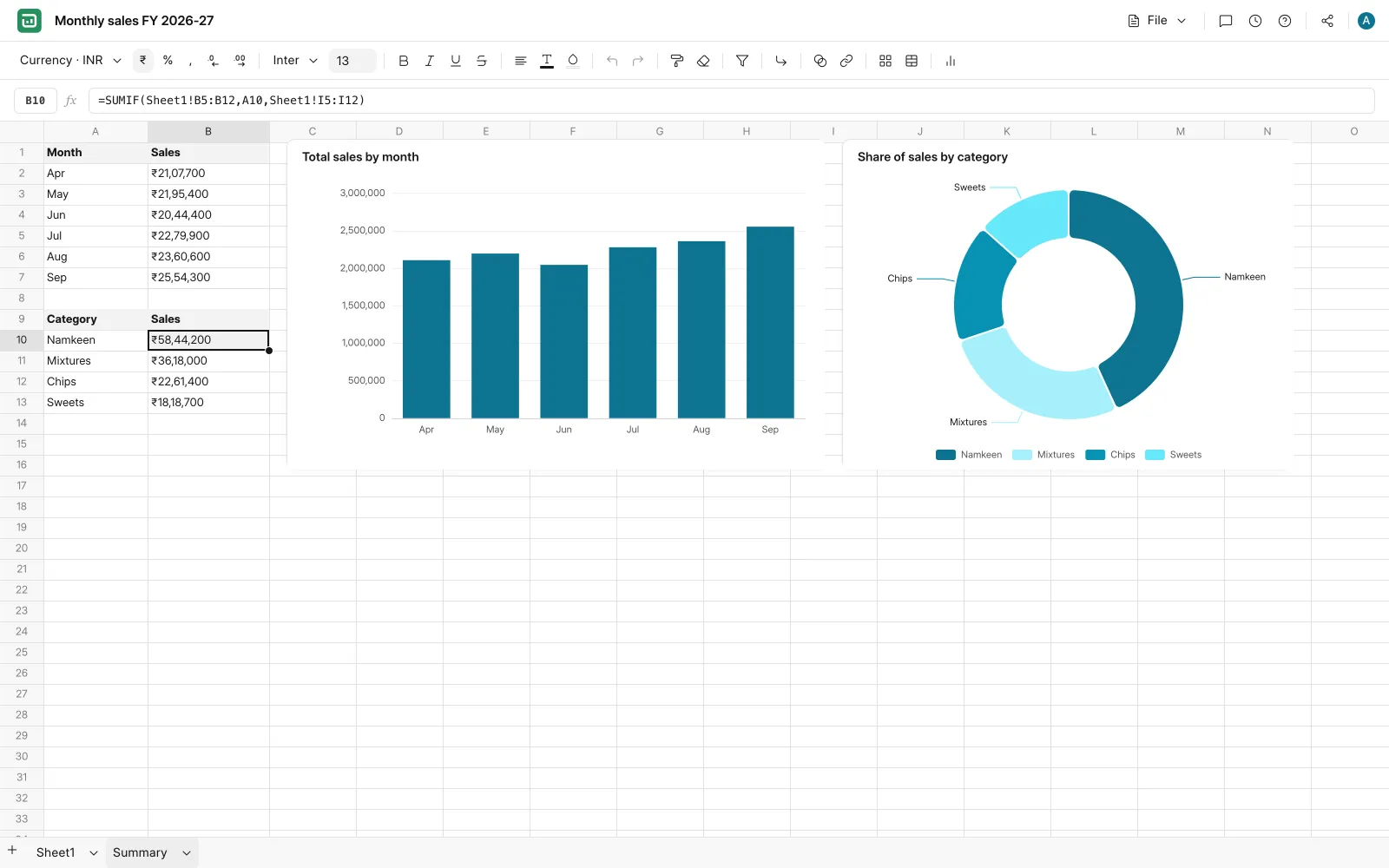
- Charts (bar, line, pie, scatter, area) and pivot tables.
- CSV and XLSX import, and CSV, XLSX and PDF export.
- Real-time editing with presence and remote cursors, and version history you can restore from.
- Sharing per user with view or edit access, plus an optional public link.
Why a spreadsheet belongs inside the Frappe stack
An ERP rarely replaces every spreadsheet. The sales plan, the price list you're still negotiating, the stock count before it goes into a reconciliation, the payroll inputs you collect from managers: these usually stay in Excel. The ERP is where the final record lives, and the spreadsheet is where people work things out before anything gets entered.
Those files usually live in email attachments and personal drives. They come with their own logins and sharing rules, the IT team has no backup of them, and when someone leaves the company their working files often go with them.
Sheets keeps that work on the same site as your ERP. Each workbook is a row in the Sheet DocType in the site database, people sign in with their usual Frappe account, and access goes through Frappe's permission hooks. Because workbooks are ordinary site data, your normal site backup already includes them, and there's no extra service to host, license or audit.
I should be clear about one limit. Sheets doesn't read ERPNext documents live today. Data comes in through a CSV or XLSX import, or by typing and pasting. What you get right now is one login, one set of permissions and one backup for your spreadsheets and your ERP. It doesn't give you a live link to your ledgers.
How I built it
A canvas grid instead of a table
Once a sheet has tens of thousands of cells, you can't give each one its own DOM element. So Sheets paints the grid on a canvas, with separate painters for cells, gridlines, headers and the selection. When you edit a cell, you're typing into a text box laid over it.
A formula engine written for Sheets
I wrote the formula engine as one module with three stages: a tokenizer, a recursive descent parser and an evaluator. The function table on main has 162 entries, from SUM and VLOOKUP to XLOOKUP, FILTER, UNIQUE, NETWORKDAYS, IRR and the REGEX functions. The README still says about 100, because I wrote that line before the later additions.
Wherever people rely on how Excel behaves, I copied it. =A1+B1 returns #VALUE! when one cell holds text, while SUM skips text and carries on. Sheet names with spaces or dots are quoted, as in 'Sales 2026'!B2. Unknown function names give #NAME?.
A separate dependency engine keeps a forward map (cells this cell reads) and a reverse map (cells that read this cell), keyed by sheet and cell. When a value changes, only its dependents are recalculated, including those on other sheets.
Collaboration on Yjs
Each workbook has one Yjs document holding cell values, formats, comments and the list of sheets. Yjs is a CRDT library, so when two people type in the same workbook at once, both copies end up the same without anyone having to lock the file.
There are two ways to move those updates between browsers:
- Through Frappe's own realtime. Updates go through a whitelisted method that checks permission and rebroadcasts over the site's socket.io connection. It doesn't need an extra server, and it's the default.
- Through a Hocuspocus collab server. A small Node service holds the authoritative copy of each document and stores it back in Frappe. The browser hands over its Frappe session, the server asks Frappe whether that user can read the sheet, and edits from view-only users are dropped before they reach anyone else. You switch it on with
collab_v2insite_config.json.
I added the second path because the first one has no authoritative copy. If someone's connection drops for a moment, their copy can drift, and there's nothing central to check it against when they come back. With a copy held on the server, every reconnect has something to resync against.
Storage and version history
The current state of a workbook is a single JSON document, gzip compressed and stored in the sheets_data field. History is kept separately:
Sheet Op Logis an append-only list of every operation.Sheet Snapshotrows are checkpoints, taken every 25 operations or 30 seconds of activity, and always on import, restore and named saves.- A daily job thins out old automatic snapshots. Named and milestone snapshots are never deleted. Trashed workbooks are purged after 30 days by default.
Snapshots are built from the op log, so deleting one doesn't lose anything. You restore from a snapshot, and if you want to see the individual edits between two snapshots, the op log has them.
An optional AI assistant that writes formulas
If you add an Anthropic API key in Sheets AI Settings, you can select some cells and ask for what you want in plain language. The model must answer through a structured tool call, and it returns formulas and ranges, never computed values. The server validates the plan, the browser applies it through the normal edit path (so it lands in undo and version history), and the sheet engine does the arithmetic. So you end up with a formula you can read and check, and it recalculates when the data changes. You need edit access to the sheet to use it.
Shipping and testing
I commit the built frontend to the repository, so Frappe Cloud can install the app without running a Node build during deploy. CI runs unit tests, a production build with bundle size limits, and Playwright tests against a real Frappe backend.
Where it falls short today
- Each workbook is saved as one blob. Every save writes the whole workbook. That's fine for the tens of thousands of cells most workbooks hold, but at hundreds of thousands of cells, saves slow down.
- It only works on a desktop. Phones and tablets get a message asking you to open it on a desktop, because the canvas grid has no touch handling yet.
- It doesn't pull live ERPNext data. As I said above, data comes in by import or paste.
What comes next
The README lists cell-level persistence as the next storage change, so a save writes the cells that changed instead of the whole workbook. That would remove the size limit I mentioned above. The open branches on the repository show what else I'm working on: closer parity with Excel and Google Sheets on functions, comments and XLSX round trips, sheets that are private by default with an explicit public link, and lazy rendering for very large grids.
If you run ERPNext and your team still lives in Excel next to it, the repository has install steps for a self-hosted bench and for Frappe Cloud.
Let's start with a call.
Thirty minutes, free of charge, and you won't sit through a sales deck.